One ERP for billing, stock and accounts.
Replace scattered spreadsheets with one connected system for sales, purchase, inventory and finance, with clear dashboards for owners and fast screens for daily users.
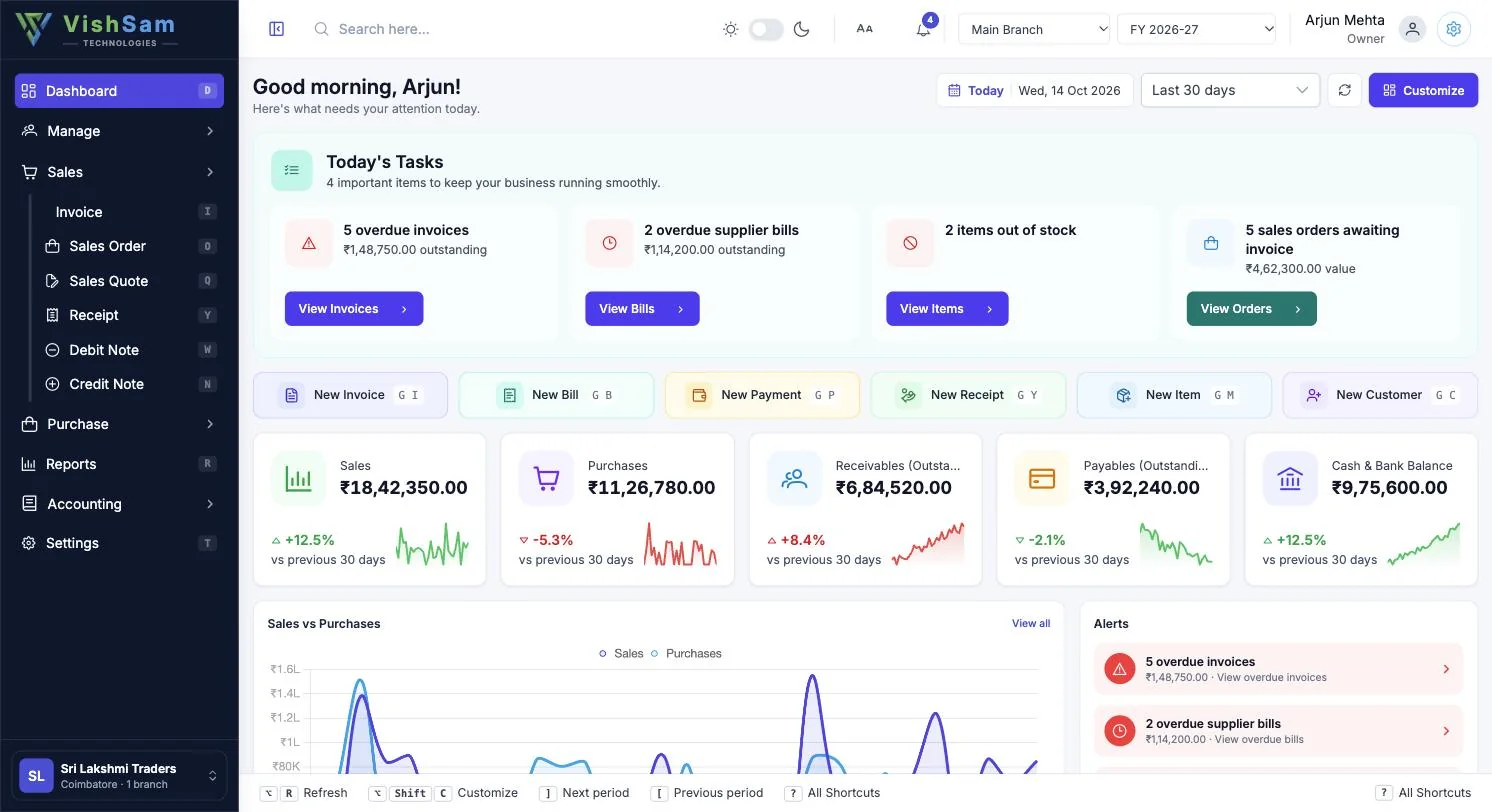
See the screens your team will use every day
Clean lists, quick filters and dashboards that show what needs attention first.
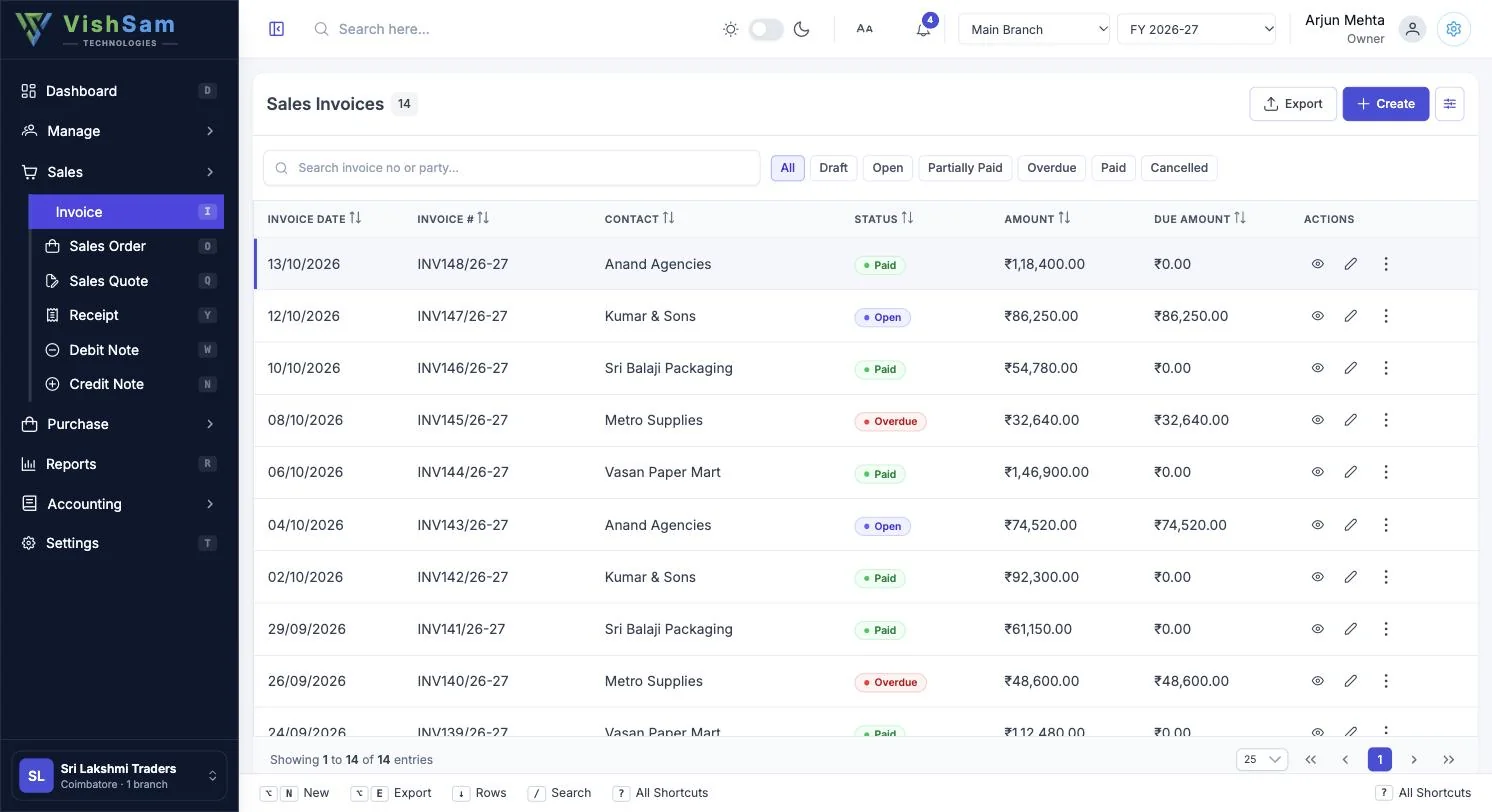
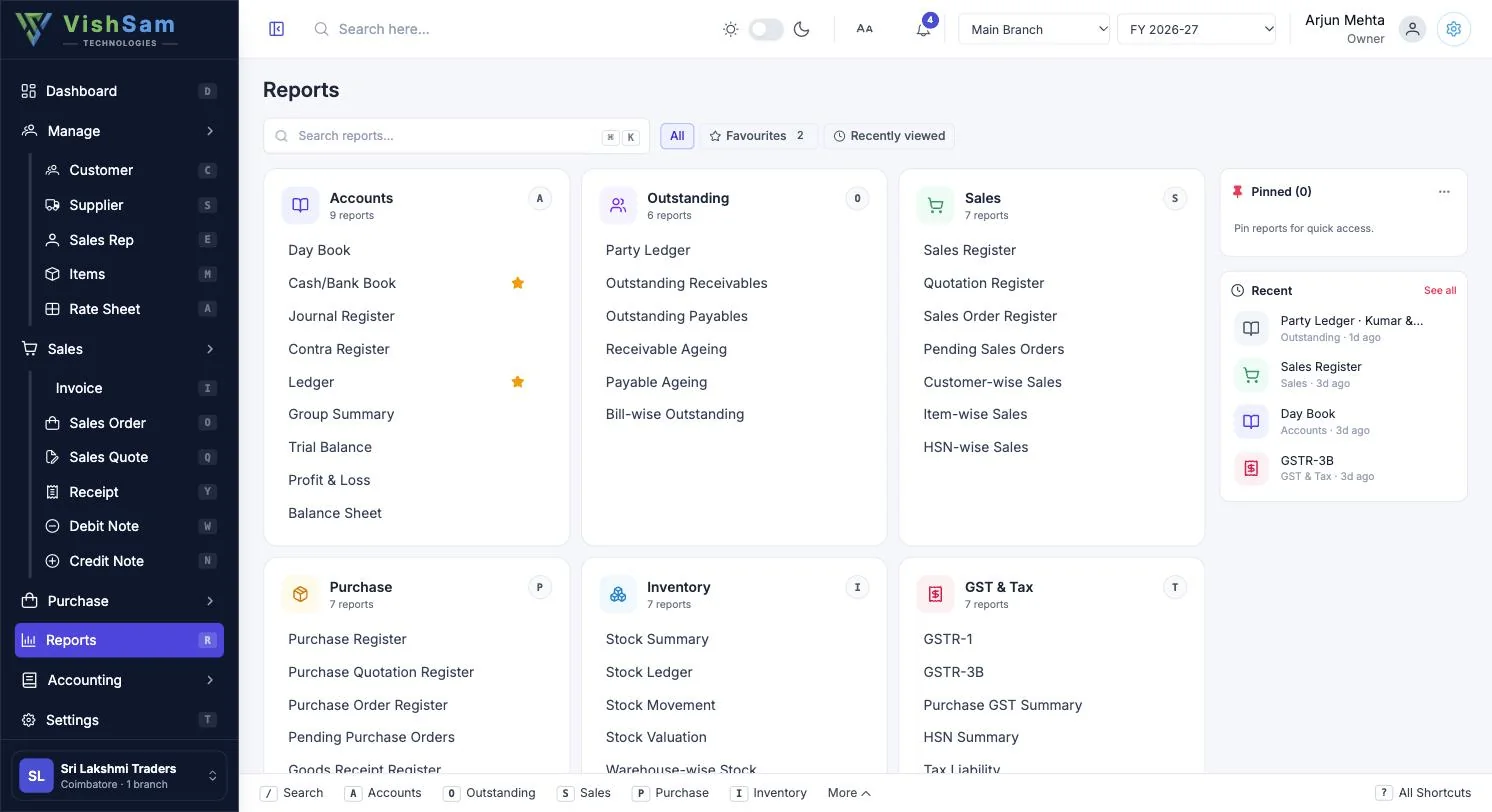
Everything a growing business needs on day one
Multi-branch & financial years
Switch branch and financial year from the top bar and keep every location on the same masters.
GST-ready documents
Invoices, notes and orders with line-level tax, HSN codes and print templates you control.
Items, categories & attributes
Organise products with categories, attributes and units, and keep pricing consistent with rate sheets.
Role-based access
Give accounts, store, sales and management the exact permissions they need, nothing more.
Dashboards & reports
Sales, receivables, payables and stock at a glance, plus a searchable catalogue of reports.
Quote → order → invoice
Convert documents down the chain in a click, so nothing is re-typed and nothing is missed.
Status at a glance
Draft, open, partially paid, overdue and paid, with filters to chase what matters first.
Keyboard-first speed
Shortcuts for new, search, export and navigation make heavy data entry fast.
Switch on only what you need.
A modular design means you pay for and learn only the parts you use. Keep scrolling to see what's inside.
Get a quoteSales
Quotes, orders, tax invoices, receipts and credit notes, tracked from enquiry to payment.
- Quotes & orders
- Tax invoices
- Customer receipts
- Credit notes
Purchase
Purchase orders, goods receipts and supplier bills with debit notes and payments.
- Purchase orders
- Goods receipt (GRN)
- Purchase invoices
- Supplier payments
Accounting
A clean double-entry foundation: ledgers, banks, journals and opening balances.
- Ledger accounts
- Banks
- Journal & contra
- Opening balances
Manage
Parties with multiple addresses, items with attributes, and rate sheets for customer-wise pricing.
- Parties & addresses
- Items & categories
- Rate sheets
- Units
Reports
Open a report from the catalogue, filter it and export. Recent reports stay one click away.
- Report catalogue
- Recent reports
- Period filters
- Export
Settings
Control how the system behaves: companies, users, serial numbers and print templates.
- Companies & branches
- Users & roles
- Serial numbers
- Print templates
From quote to cash, without leaving the screen
Every step is linked to the next, so nothing is typed twice and nothing slips through.
Quote
Price it rightPick items, apply the customer’s rate sheet and share a clean quote in seconds.
Order
Lock it inTurn the accepted quote into a sales order. Items, quantities and prices carry over.
Invoice
Bill with GSTRaise a tax invoice with HSN, place of supply and the tax split filled in for you.
Receipt
Get paidRecord collections against the bill and watch the due amount clear, part by part.
Ledger
Books stay readyEvery entry posts to party and bank ledgers as it happens. No month-end rework.
Beyond spreadsheets and disconnected tools
An honest look at where a connected ERP saves the most time.
| Need | Spreadsheets & separate tools | VishSam ERP |
|---|---|---|
| Several branches and years | Separate files, easy to diverge | One workspace with branch and year switcher |
| Quote to invoice flow | Re-typed at each step | Convert in one click, fully linked |
| Pricing by customer | Manual price lists | Rate sheets applied on documents |
| Who can see what | Shared passwords | Role-based user permissions |
| Outstanding follow-up | Ad-hoc statements | Status filters and due amounts on every list |
Works with the tools you already use
Planned and available connections, confirmed during onboarding.
ERP questions, answered
Which modules are included?
Sales, purchase, accounting, parties and items management, reports, dashboard and settings. Modules can be enabled to suit your business.
Is it GST compliant?
Documents carry GST by line item and reports are built to support your return preparation. Your accountant remains the final reviewer.
Can it work alongside Tally?
Yes. Many customers keep Tally for statutory work while moving daily operations to VishSam. We help with data import.
How is pricing decided?
By number of users, branches and modules, plus one-time setup and training. Request a quote and we will share a clear estimate.
How long does implementation take?
A single-branch setup is typically ready in days; multi-branch rollouts take longer depending on data migration.
See VishSam ERP running on your own business data
Book a free 30-minute walkthrough. We will set up a sandbox with your items, parties and GST details.